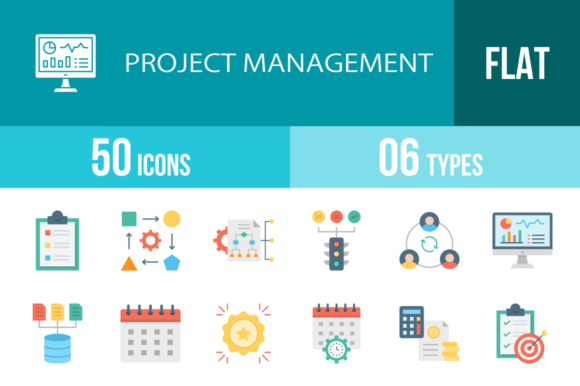
50 Project Management Flat Icons for Modern Design
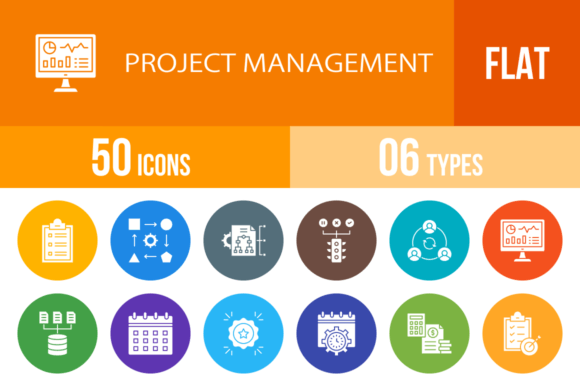
When you're building a pitch deck, designing an app interface, or creating a training manual, the right visual shorthand can make all the difference. Text-heavy slides lose audiences. Complex illustrations can clutter a user interface. This is where the 50 Project Management Flat Icons collection steps in. It’s not just a random assortment of symbols; it’s a curated toolkit designed specifically for the language of business, productivity, and teamwork. The collection features a clean, unigrid system that ensures every icon—from "Task List" to "Agile"—aligns perfectly with its neighbors, creating a cohesive visual language that feels professional and intentional.
Visual Consistency and The Unigrid System
The defining characteristic of this set is the adherence to the unigrid system. In icon design, consistency is king. If one icon is thick and chunky while the next is thin and delicate, the design looks patched together. These 50 Project Management Flat Icons are built on a standardized grid, meaning the visual weight, stroke width, and padding are identical across the entire set. Whether you are using the "Budget Estimate" icon or the "Scrum Master" icon, they share the same design DNA.
Visually, the style is distinctly modern. We are looking at flat design principles here—no drop shadows, no heavy gradients, and no excessive beveling. This isn't just an aesthetic choice; it’s a functional one. Flat icons load faster on websites and scale better on high-resolution screens. The "Line Icons" aspect provides a lightweight, airy feel, making them perfect for minimalist layouts where you don't want to overwhelm the viewer. However, the inclusion of 50 Project Management Flat Multicolor Icons offers versatility. The color versions use a sophisticated palette that adds depth without sacrificing that clean, flat aesthetic. This allows you to code your project visually—perhaps using blue for "Communication" and green for "Success"—to aid in quick recognition.
Practical Applications: Beyond the Whiteboard
As a designer or business owner, you need assets that work as hard as you do. The utility of these icons spans a massive range of projects. For web design and UI/UX, these are perfect for feature lists, pricing tables, and dashboards. Imagine a SaaS landing page where you are explaining your software's features. Instead of a bulleted list, you can place the "Analytics," "Development," and "Time Estimate" icons next to your copy. It breaks up the text, improves scannability, and elevates the perceived value of the product.
For those in editorial design and publishing, such as bloggers and content creators, these icons solve the "image problem." Finding the right stock photo for a niche topic like "Dependencies" or "Project Scope" is difficult and often expensive. Using these vector icons allows you to create custom header images or in-article graphics that are lightweight and perfectly on-topic. They are also invaluable for presentation design. We have all sat through boring PowerPoint slides. Replacing bullet points with icons like "Workflow," "Hierarchy," or "Team Cohesion" instantly makes a presentation more digestible and professional.
Furthermore, in packaging design for educational materials or corporate training kits, these icons serve as excellent instructional aids. They can guide the eye through steps or categorize different modules of a course. Because they are 100% vector, they remain crisp and clear whether printed on a massive banner or a tiny business card.
Technical Flexibility: Formats and Scalability
One of the biggest headaches in design is file compatibility. You download an asset only to find it’s a low-resolution JPG that pixelates the moment you try to resize it. The 50 Project Management Flat Icons set addresses this by offering 6 different formats: AI, CDR, EPS, JPG, PNG, and SVG.
The SVG (Scalable Vector Graphics) format is the gold standard for modern web design. It’s code-based, meaning it loads instantly and scales to any size without losing quality. If you are a developer or a no-code web builder, SVGs are essential for a sharp brand identity. The AI and EPS files are the workhorses for graphic designers using Adobe Illustrator. These vector paths are fully editable. You can change the stroke weight, alter the color palette to match your specific brand guidelines, or combine elements to create new custom icons. This level of editability turns a standard icon pack into a flexible design asset that can evolve with your brand.
The inclusion of 20 different PNG sizes is a massive time-saver. It acknowledges that not everyone has the time or software to resize vectors. Whether you need a tiny 16px favicon or a large 1024px graphic for a print layout, the work is already done for you. This makes the set accessible to hobbyists, small business owners, and marketers who might not have advanced design software but still need high-quality visuals.
Integrating Icons into Your Brand Identity
Icons are a critical component of modern typography and brand identity. They act as the visual glue that holds a design system together. When you use the 50 Project Management Flat Icons consistently across your touchpoints—your website, your invoices, your social media graphics—you build a visual shorthand that your audience begins to recognize.
Consider the "Work From Home" and "Virtual Team" icons. In the current landscape, these aren't just decorative; they are essential communication tools. Using them in HR documents or onboarding materials signals that your company is modern and understands the current work culture. Similarly, icons like "Speed Optimization" and "Productivity" are powerful in marketing contexts. They subconsciously reinforce the message of efficiency and forward momentum.
When selecting icons for your project, look for this set's ability to maintain visual hierarchy. Because they are designed on a unigrid, they won't compete with your typography for attention in a chaotic way. Instead, they support your headers and body text, guiding the reader's eye down the page. This improves readability and keeps the user engaged longer.
Final Thoughts on Selection and Usage
Choosing the right design assets comes down to versatility and quality. The 50 Project Management Flat Icons offer a comprehensive suite that covers the lifecycle of a project, from "Idea" and "Strategy" to "Deadline meet" and "Success." They are premium font companions—meaning they pair beautifully with high-quality typefaces without looking out of place.
For the entrepreneur or designer looking to streamline their workflow, this collection eliminates the need to hunt for disparate symbols every time a new project starts. It provides a unified system that speaks the language of business clearly and stylishly. Whether you are building a complex dashboard or a simple flyer, these icons provide the professional polish required to stand out in a crowded market. They are tools designed not just to decorate, but to communicate.